Copilot Money
I’m a Senior PM (and only PM) at Copilot Money, a personal finance app for iPhone, iPad, Mac, and Web. I’ve contributed across every product release since 2024. Currently focusing on our AI initiative, major past releases include: MCP, Savings Goals, Cash Flow, iPad & Web.
Releases
Everything we have shipped since I joined, straight from Dispatch.
Transaction Summary & Improvements
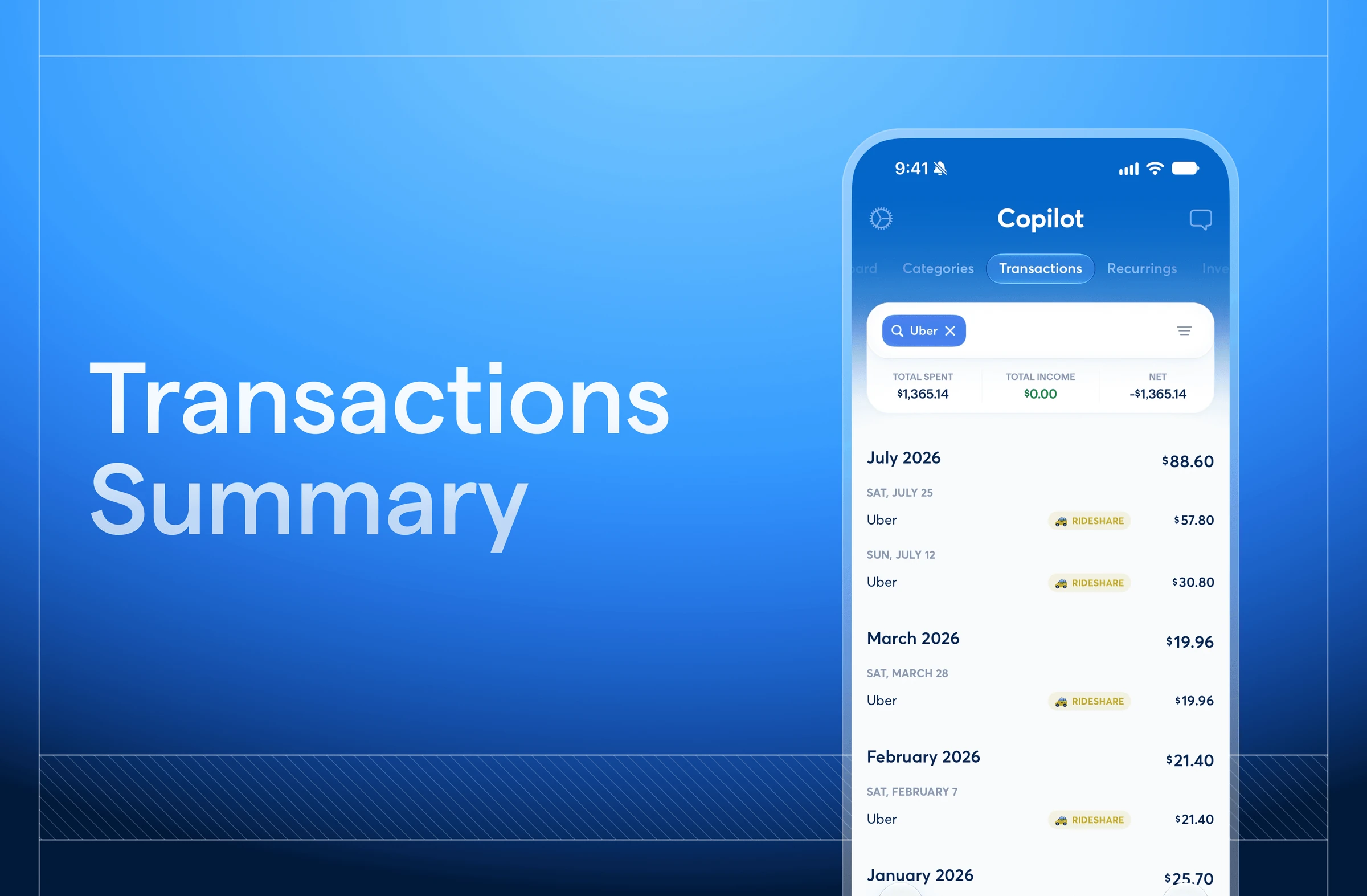
The latest release adds running totals to Transactions on iOS and ships a round of polish across apps.
New
iOS
Search or filter in the Transactions tab to see a running total of your results. This includes total spent, total income, and net between the two. Multi-select totals are coming up next.
macOS
The Categories tab now uses the same colors across progress bars and charts so it’s easier to match a category to its spending at a glance.
Improvements
- Selling a full position in Investments now closes it out completely.
- Rollovers are faster across platforms and update smoothly when a category is removed or an account’s Dashboard status changes.
- In Recurrings, the “Set to any day of the month” button no longer overlaps the transaction list.
- Custom emojis and edits now appear instantly in Recurrings.
Beta Updates & Improvements
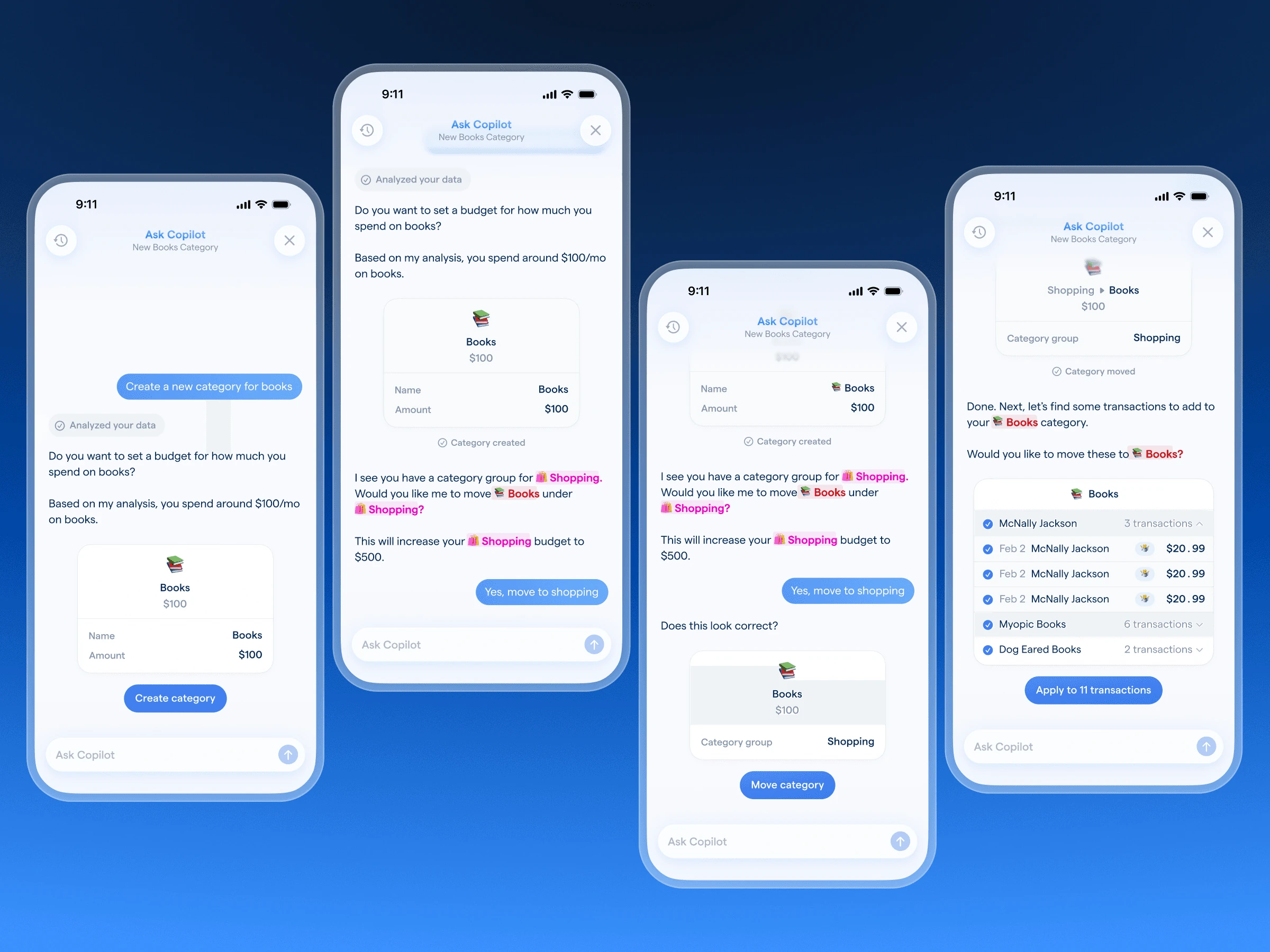
Over the past month, we’ve been focused on performance improvements across all platforms. The team has also been hard at work continuing to develop the Money Assistant.
Improvements
iOS
Rollovers compute much fasterx and amounts stay accurate instead of going stale after changes. Recurring transactions also update quicker, so your edits take effect right away.
Web
Speed improvements have landed on the web platform so pages load and respond faster. Numbers are now consistent across platforms, so what you see on web matches iOS, iPadOS, and macOS.
Money Assistant (in beta)
The Money Assistant can create, update, and delete categories, budgets, transactions, recurring transactions, and rules. It surfaces proactive suggestions on its own, like category recommendations and budget tweaks, and you can dismiss, approve, or dig into any suggestion further. In addition, charts now appear right in conversation to help bring those suggestions and insights to life.
The launcher also includes context, giving the assistant a better sense of what you’re looking at when you start a conversation. Plus, you can fine-tune the assistant’s features from Settings.
MCP (in beta)
The list of what our MCP can reference has expanded to include categories, transactions, monthly spend and income, recurrings, and tags. If you have beta access, you can get answers about your budgets and accounts right in your favorite AI tool, without switching apps.
Web: Split Transactions
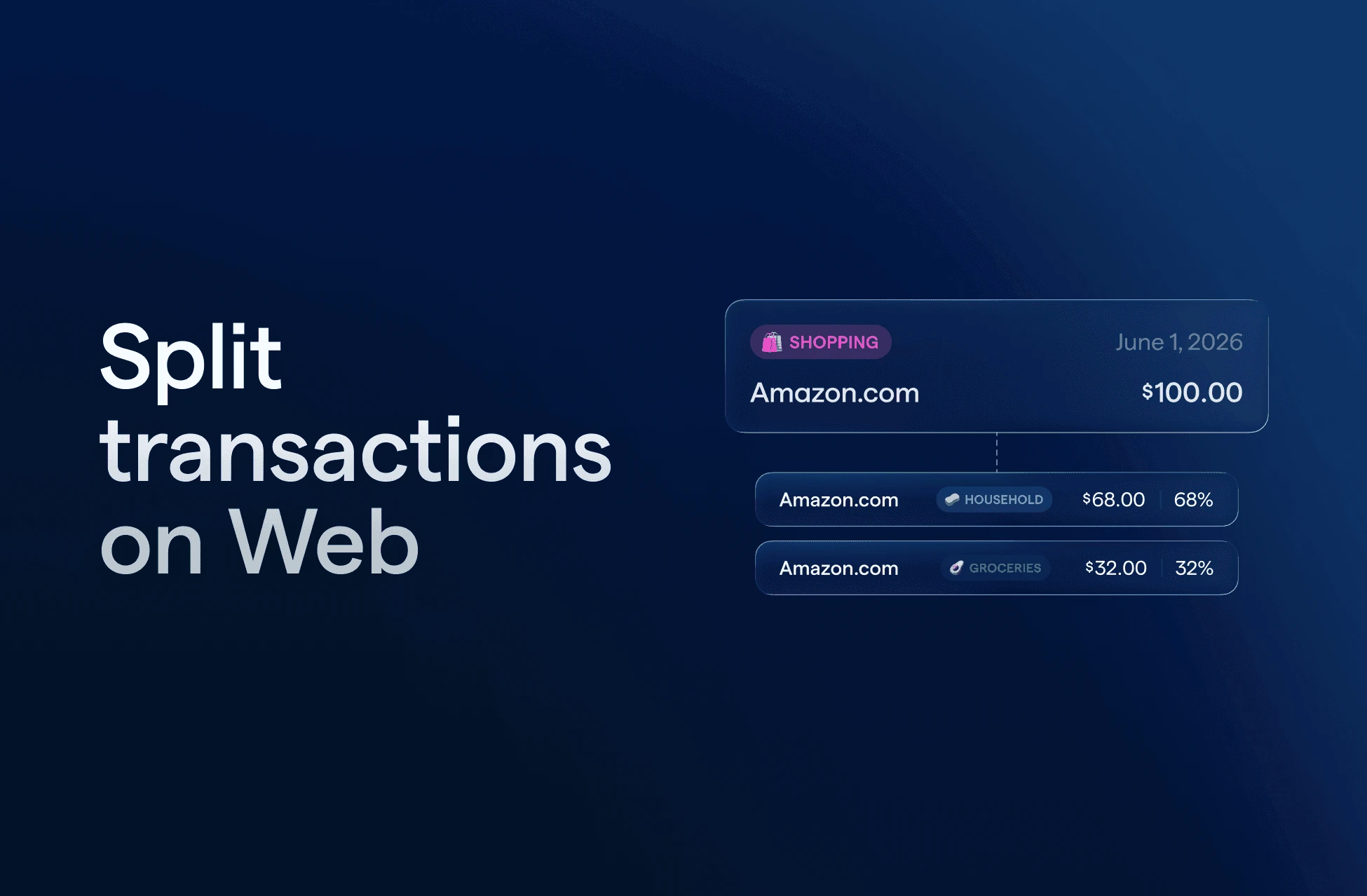
We rebuilt split transactions from the ground up for the Web app.
Split a transaction equally to divide the amount automatically, or customize the split by dollar amount or percentage. Shortcuts make it easy to split into multiple transactions, or quickly spread a transaction across 3, 6, or 12 months. The new split icon makes it easy to see which transactions have been divided, and the original un-split amount is always on record so you have the full picture.
A new split experience, now on Web. The classic split transaction experience is available on iOS, macOS, and iPadOS.
MCP

We believe your financial data should work where you do, so we’re building an MCP. Now available in beta, it connects Copilot Money securely and directly to top AI tools. Get answers about your spending, budgets, and accounts without switching apps or copying numbers around.
This is the first step toward something bigger: your financial data, available for the tools and workflows you already use. Read-only to start, and tested for Claude, ChatGPT, and Codex CLI.
Your Money Assistant
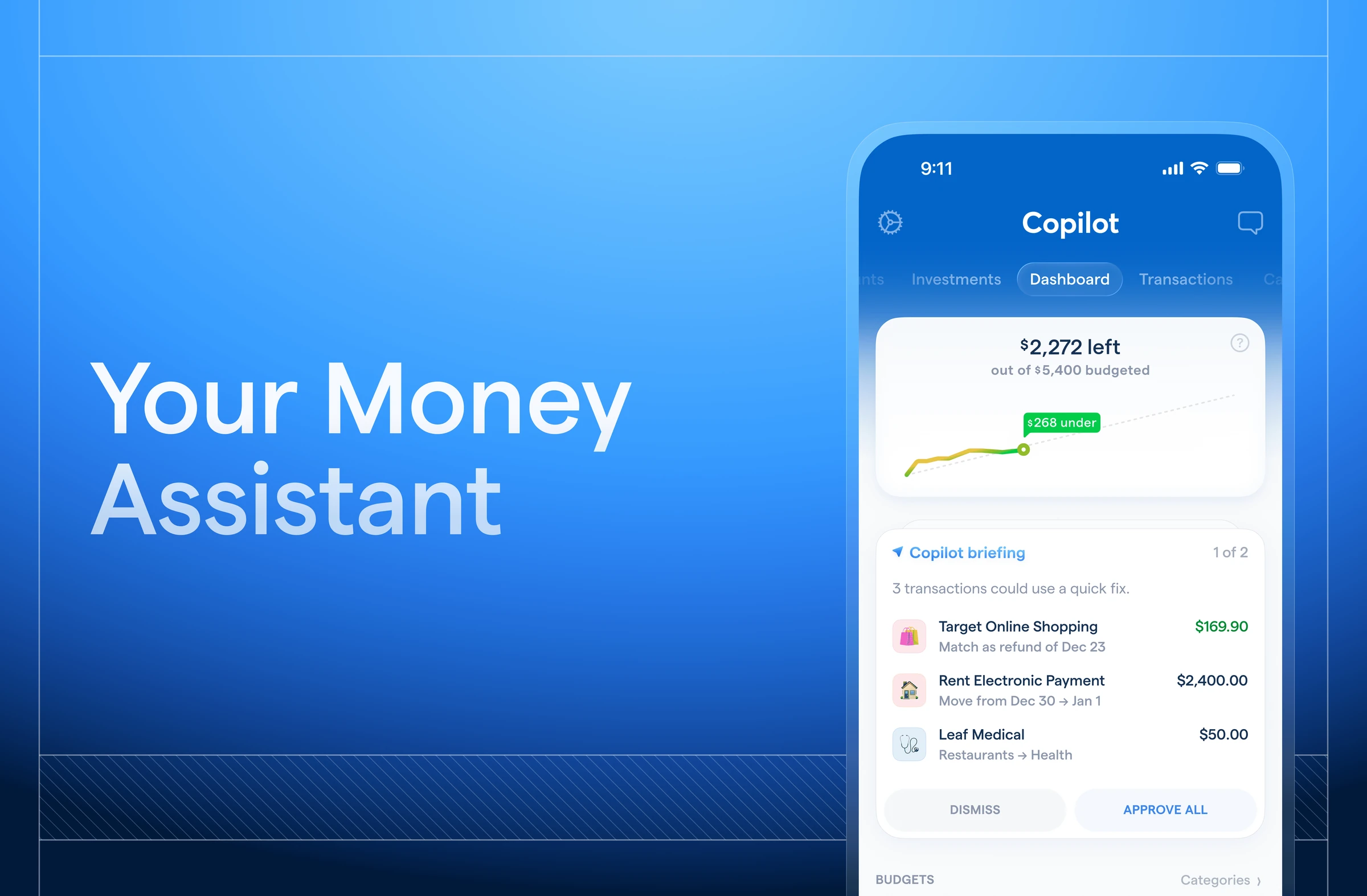
Managing money well is a constant job, and life doesn’t stop to let you do it. Meet: your personal money assistant — a proactive sidekick that keeps an eye on your finances, connects the dots, and surfaces what matters — before you have to go looking for it. It goes beyond chat, something closer to having a financially sharp friend who never stops paying attention.
We’ve been thoughtful about how this fits into the app you know and love, designed to feel like it’s a natural extension of the Copilot Money experience. It’s working for you, from speaking in the tone you prefer to checking for approval before any edits. Nothing happens without your say-so.
Web: crypto & workflow improvements
This month, the Web team has been expanding platform support, improving load times, and polishing everyday interactions. Here are the highlights!
Accounts
- Crypto Exchange Support: You can now link supported crypto exchanges directly from the web app, bringing your full financial picture into one place.
- Faster Account Loading: The Accounts tab now loads significantly faster, even when you have a large number of accounts connected.
- Zillow Account Names: We updated how Zillow account names appear on Web, so they’re now consistent across all your devices.
Transactions & Editing
- Bulk Edit Stability: Fixed an issue where some bulk-selected transactions would become deselected after making an edit — your selections now stay intact throughout the process.
Navigation & Layout
- Side Panel Refresh: The side panel is now wider and opens without pre-selecting content on a tab, so you always start with a clean slate.
Two-Factor Authentication

You can now add an extra layer of security to your account and device access by enabling two-factor authentication. Once enabled, 2FA applies to your logins and sensitive account management actions, including account deletion and global session revocation.
- Configuration: You can set up 2FA directly from your Settings menu.
- Supported Methods: Copilot Money currently supports 2FA via authenticator app.
- Global Sign-out: A new option in your Settings section allows you to log out of active sessions on all your devices with one click.
2FA is available on iOS, Web, and Mac.
Web: speed & workflow improvements
Over the past month, the Web team has been refining workflows, increasing application speed, and improving reliability for the new desktop experience. Here’s a few noticeable highlights!
Accounts
- Manual Account Sync: Managing manual accounts is now smoother. When you update a manual account balance or add transactions, your total assets and net worth will refresh right away — no need to reload the page.
- Connection Management: You can now access “Manage Connection” directly from the account detail dropdown, making it easier to fix any issues with linked institutions.
Transactions & Bulk Editing
- Tag Consistency: The bulk-edit tags interface now stays in sync with your changes when editing multiple transactions at once.
- Bulk Action Visibility: We’ve fixed an issue where category, type, and tag options would disappear when using “Select All.”
- Stable Sorting: Changing a category on a “To Review” transaction no longer causes your list to reorder unexpectedly.
Account Management
- Authentication States: Error messages during login and sign-up are now clearer, so you’ll have a better sense of what went wrong.
- Login Emails: We’ve updated our account emails to be cleaner and easier to read.
- Google Pay: Google Pay is now supported at checkout during onboarding, alongside Apple Pay.
Hello, Web
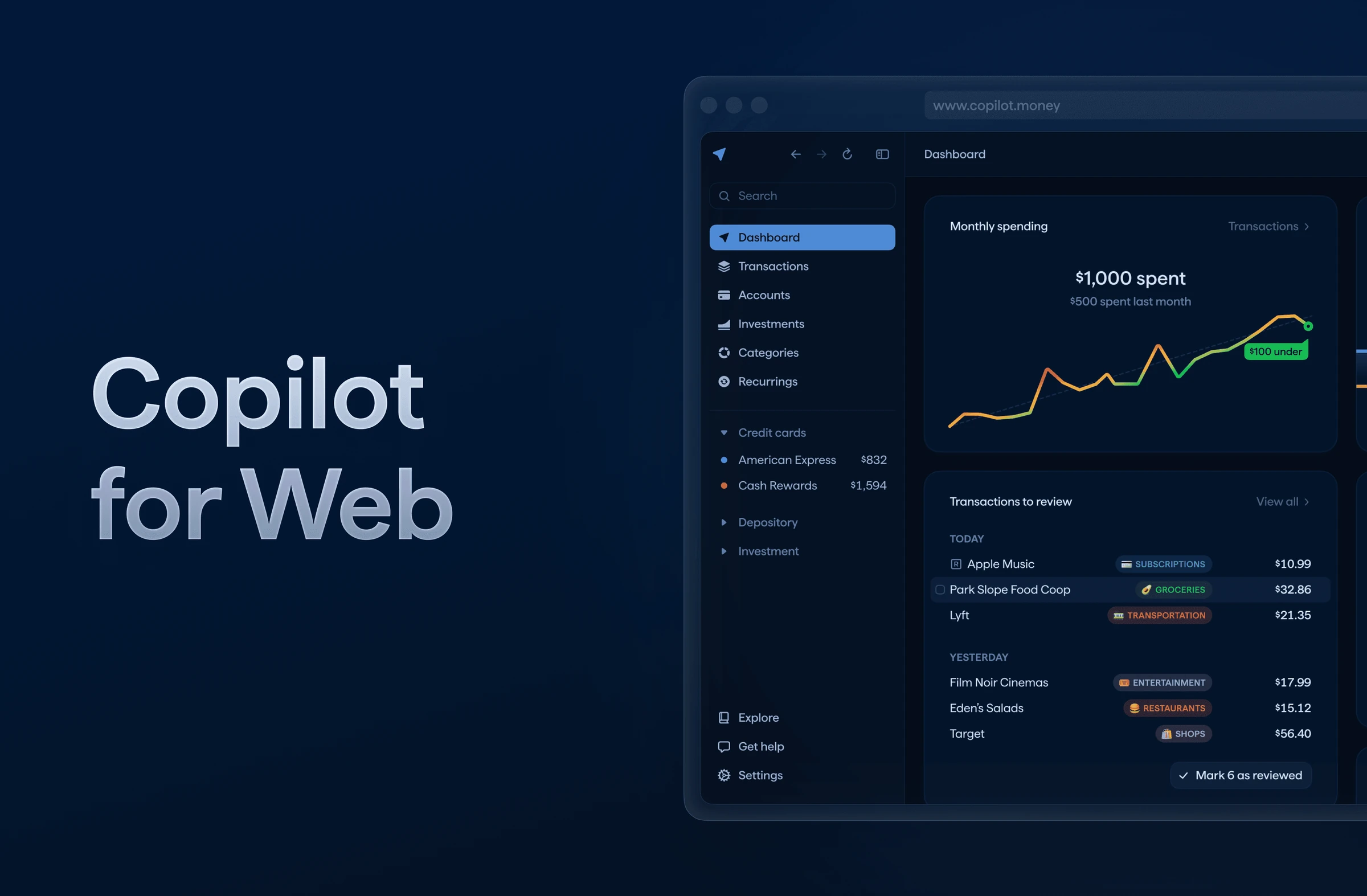
Copilot for Web is here! We’re thrilled to have a Web app, alongside the iOS, iPadOS, MacOS apps you know and love.
Liquid Glass

We’re excited to release our first design refresh since launch, embracing the new style of iOS26. Light and dark mode look better than ever!
Savings Goals
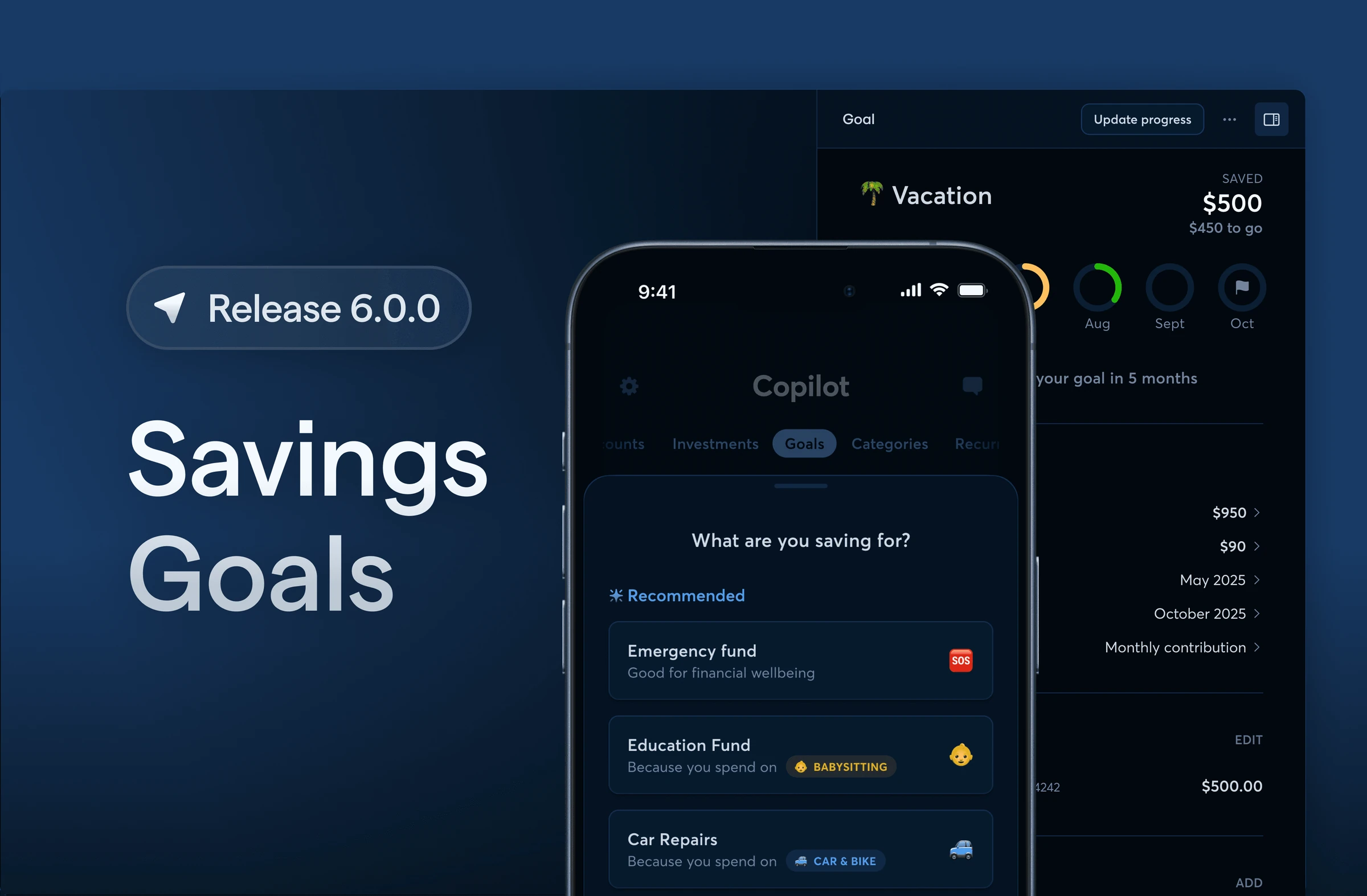
After many months of hard work from the team, we’re excited to announce Savings Goals. This is a brand new tab designed to help you plan, track, and stay motivated as you work toward what matters most.
Not sure where to begin? Copilot Intelligence will suggest goals based on your current cash flow, spending categories, and yearly recurring payments. It will also give you an estimate of how long it might take to reach your goal or how much you’d need to save to get there.
Genmoji

Genmoji is here! If your iPhone supports Genmoji, you can now customize your spending categories and recurrings with brand new emojis that perfectly match your style. These will sync across all of your devices.
Hello, iPad
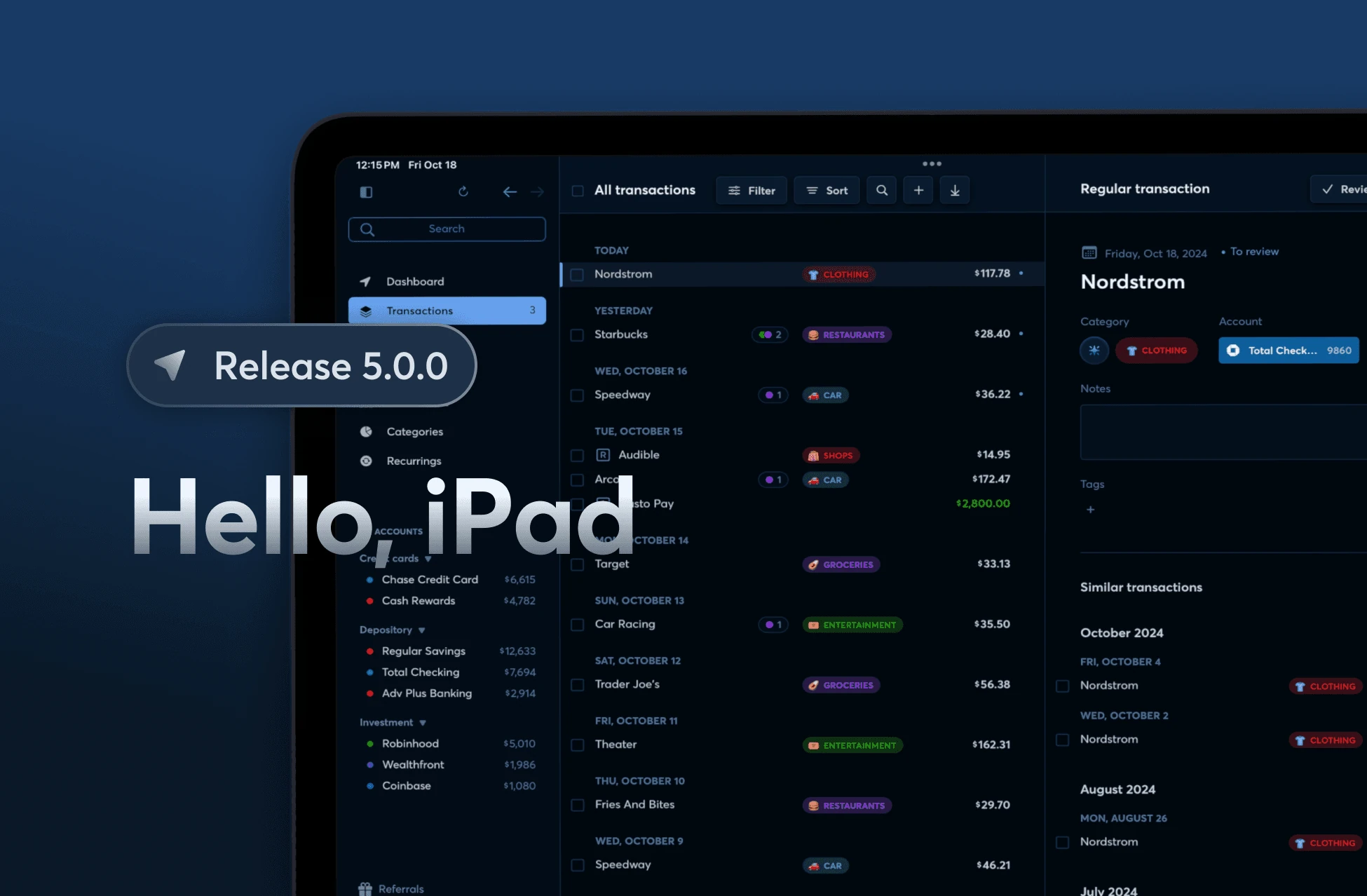
Copilot for iPad is here! We’re thrilled to have a native iPadOS, alongside the iOS and MacOS apps you know and love. Enjoy a fully responsive layout that adapts to different screen sizes and orientations. Take advantage of multitasking with Split View, Slide Over, and Stage Manager.We’ve included all of the Mac app’s shortcuts to make navigating Copilot even faster when your keyboard’s connected. And as always, you can use any of our apps at the same time, on multiple devices.
New accounts available
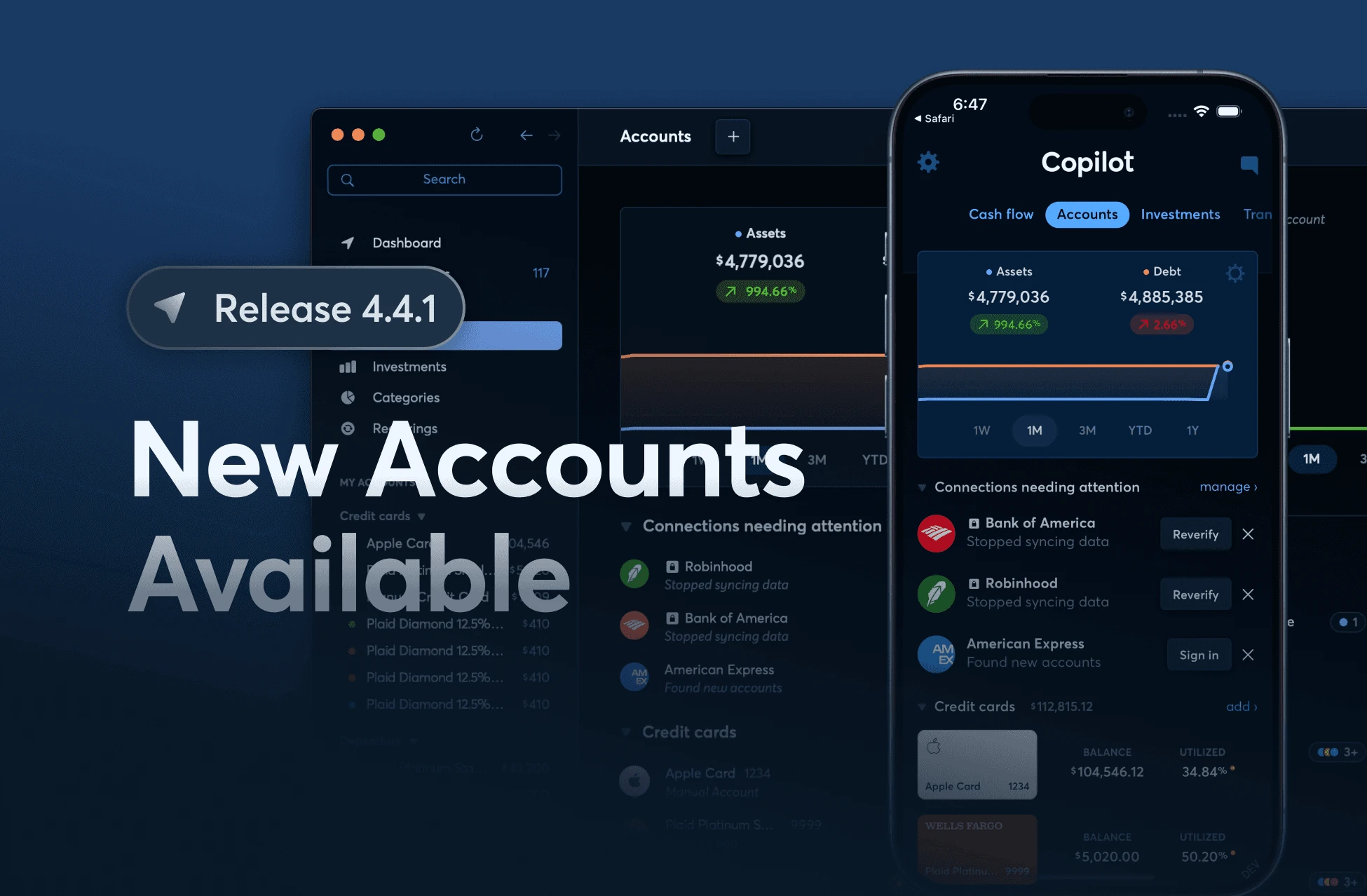
New: See which connections need your attention. To make it easier for you to see which connections need to be re-verified and to know when there are new accounts available, the Accounts tab now has a new section at the top that helps you stay on top of things.
Cash Flow
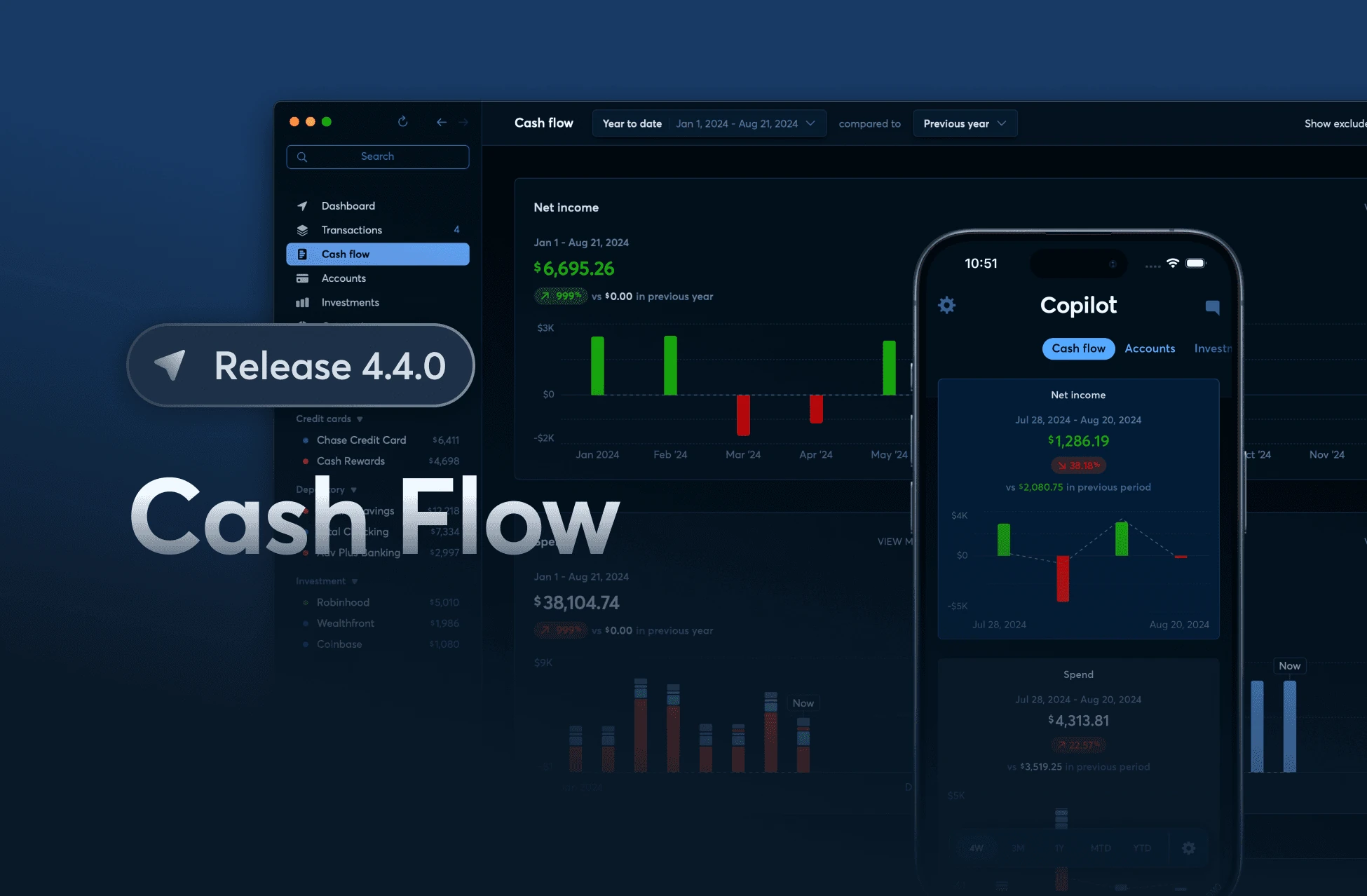
We’re excited to launch a brand-new feature designed to give you deeper financial insights. The Cash Flow section lets you compare your income, spending, and net income over various time frames. Dive into new charts to see how your financial habits stack up month-to-month or even week-to-week.
We’ve added the option to add your excluded transactions to your total spend amount for a better view of your actual spend for cash flow purposes.
Copilot x Public
Also in 4.4.0, if you have a Public account you can now track it on Copilot! We’re excited to announce that we’ve worked with Public on a direct integration that gives you close to real-time updates on your portfolio.
Accessible Charting
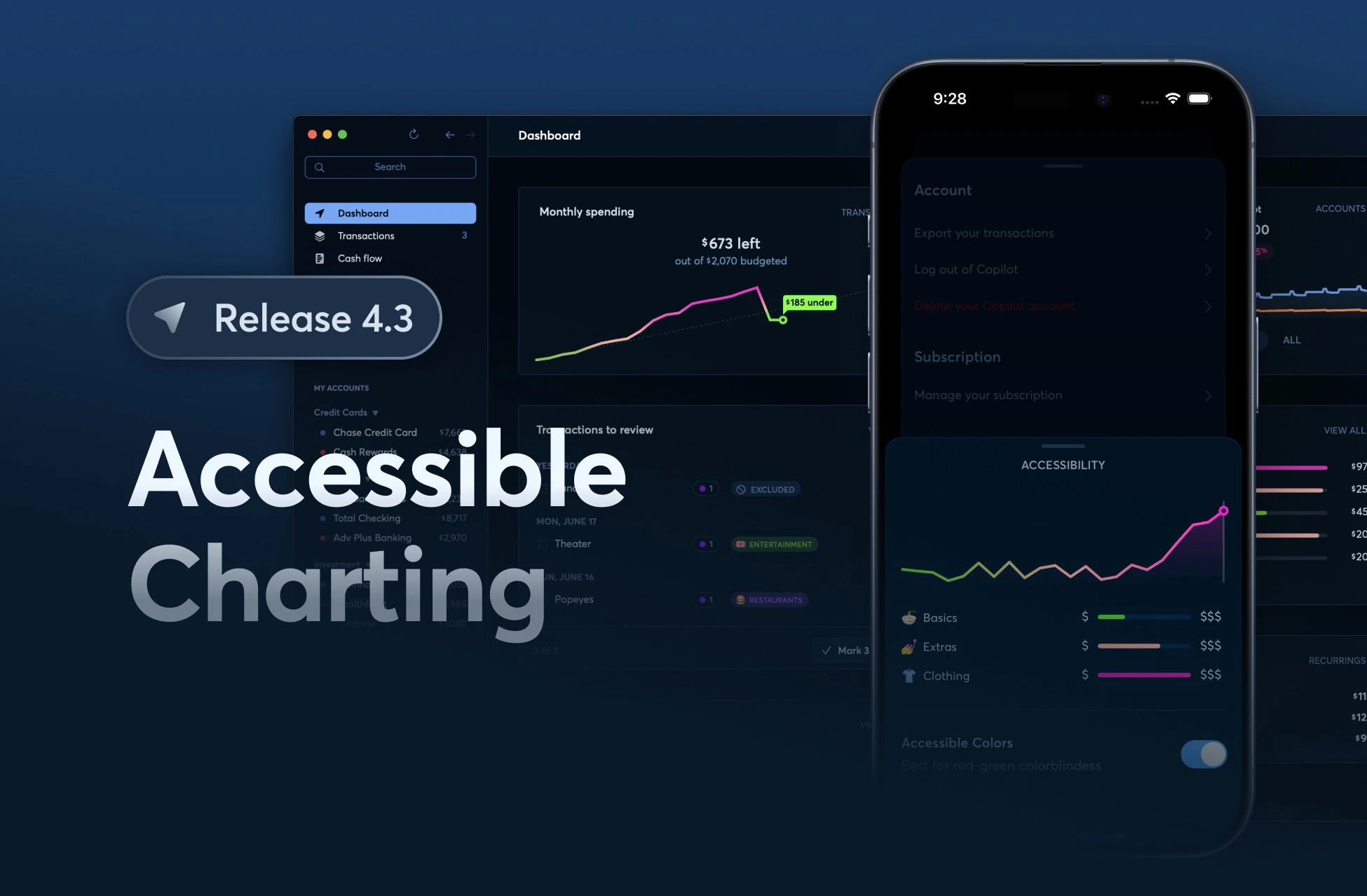
We are excited to release version 4.3 of Copilot! With this update, we’ve introduced accessible colors specifically designed to enhance chart readability for users with red-green colorblindness. This improvement ensures that everyone can effectively utilize our charting features, making financial tracking more inclusive and accessible.
Our intent with this release is to cover the most common types of red-green color blindness such as deuteranopia and protanopia.
Tags
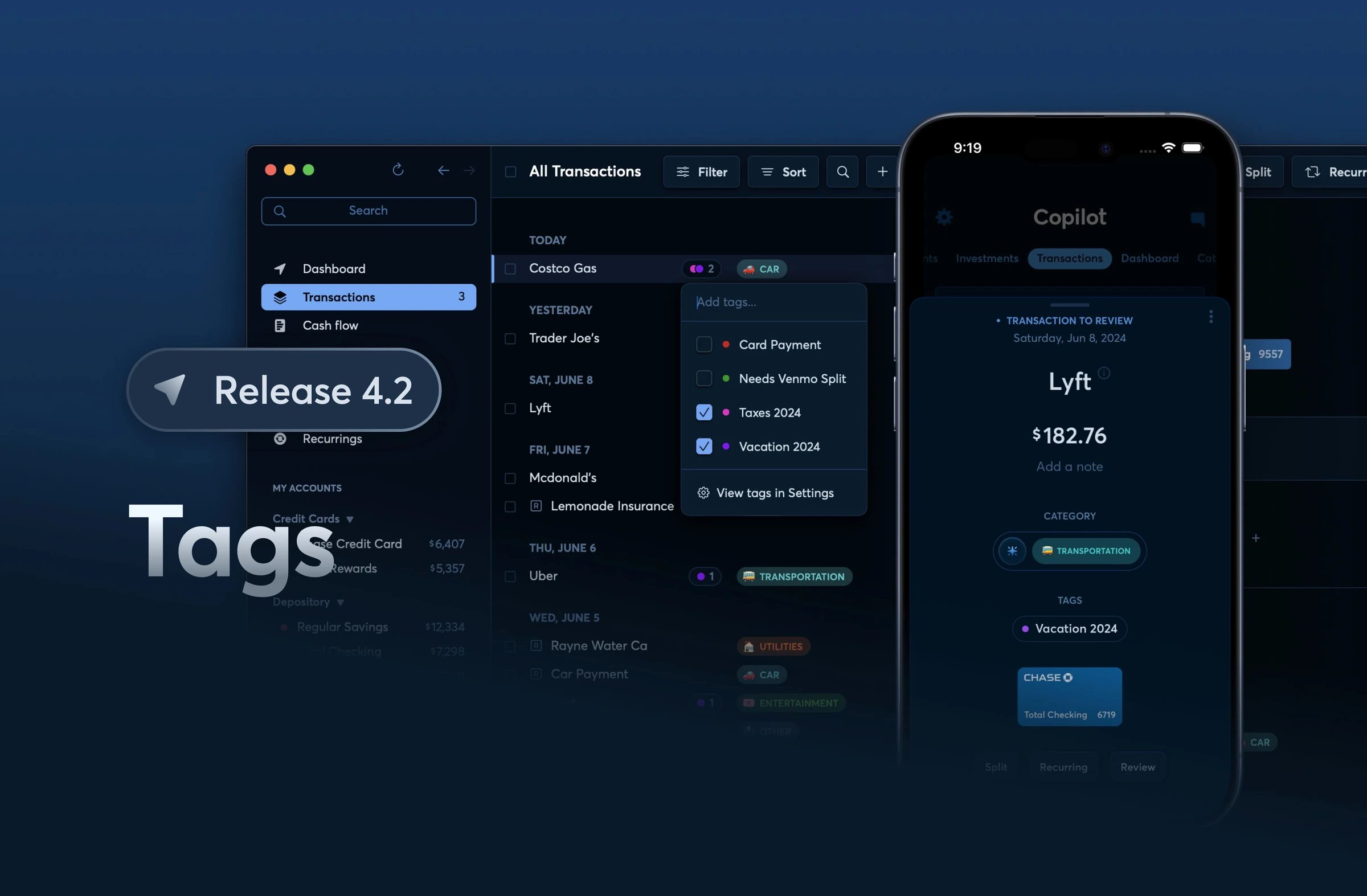
Starting today, you can use Tags to organize your transactions in a whole new way. This is now available on iOS and Mac when you update to the latest version of the app.
Until today, you could only use Categories to organize and track your spending. With Tags, you can group together any type of transaction. There are a lot of ways to use this feature, including organizing your spending during a vacation, tracking transactions that need a Venmo split, or for classifying different sources of income. You can create as many Tags as you want, and assign them different colors for easier recognition.
To see your monthly totals, simply filter your Transactions tab by one or more tags.
We hope that this new feature allows you even more granular control over how you want to organize your transactions, we can’t wait to see what you do with it. Keep an eye out for more features going live soon — our new Cash Flow section is next!
2023 – Summer Master’s Internship
Analytics
During my 2023 internship, I defined Copilot’s Amplitude event taxonomy and built the dashboards used to track acquisition, activation, retention, and revenue. This gave product and growth a shared view of the funnel. I also adapted Duolingo’s CURR framework to Copilot’s product model.
App Store positioning
I rebuilt Copilot’s App Store positioning across screenshots, keywords, and product copy, creating a clearer foundation for discovery and conversion.
Partnerships
I built a pipeline of 200+ prospective partners and creators, including YouTube channels with multi-million-subscriber audiences.